What's actually costing you strokes?
VizGolf tracks your rounds, analyzes your stats, and shows you exactly where to improve.
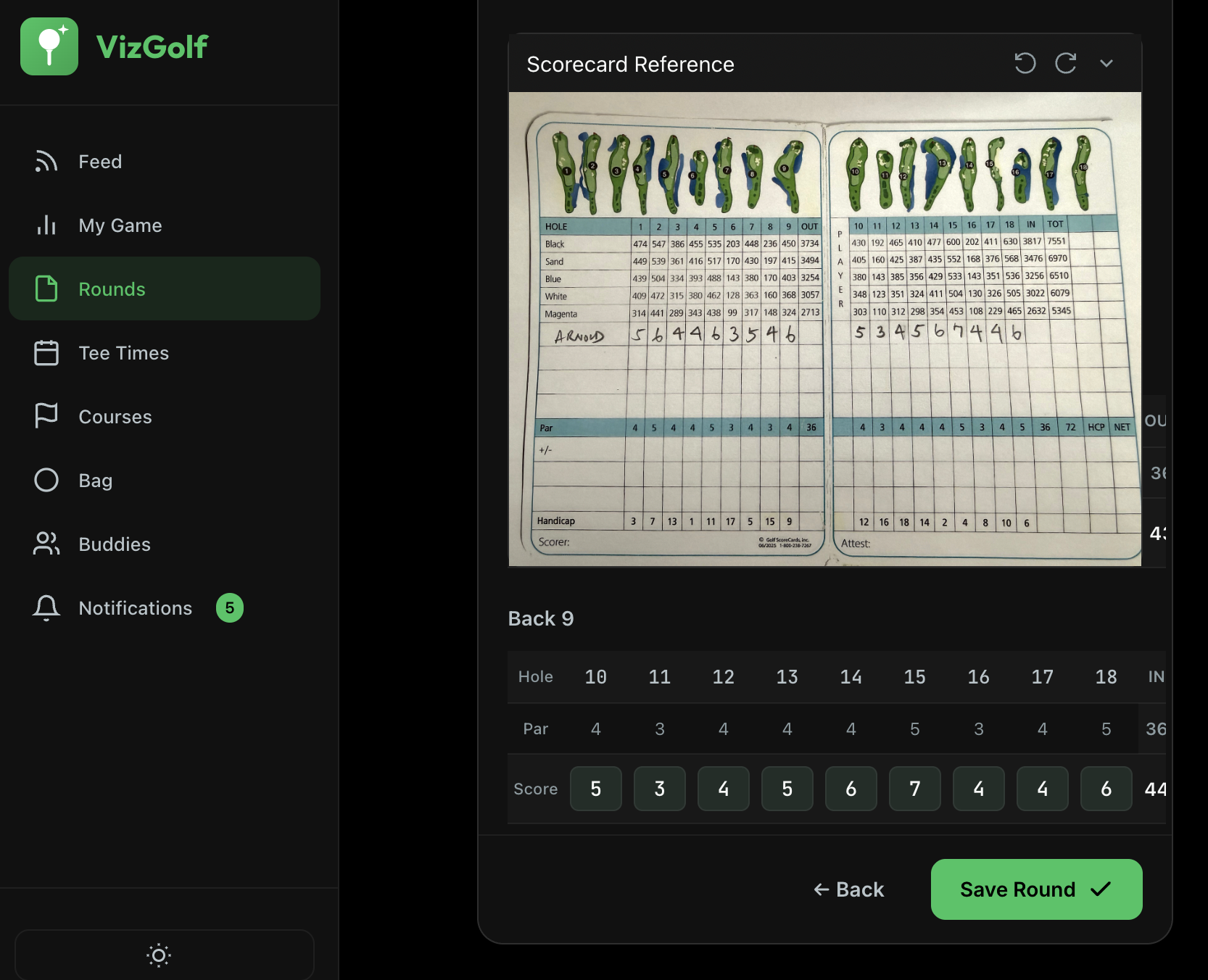
Log Your Round
After your round, log your score in under 2 minutes. Enter hole-by-hole scores, and optionally track fairways hit, greens, and putts. The more you track, the smarter your insights get.
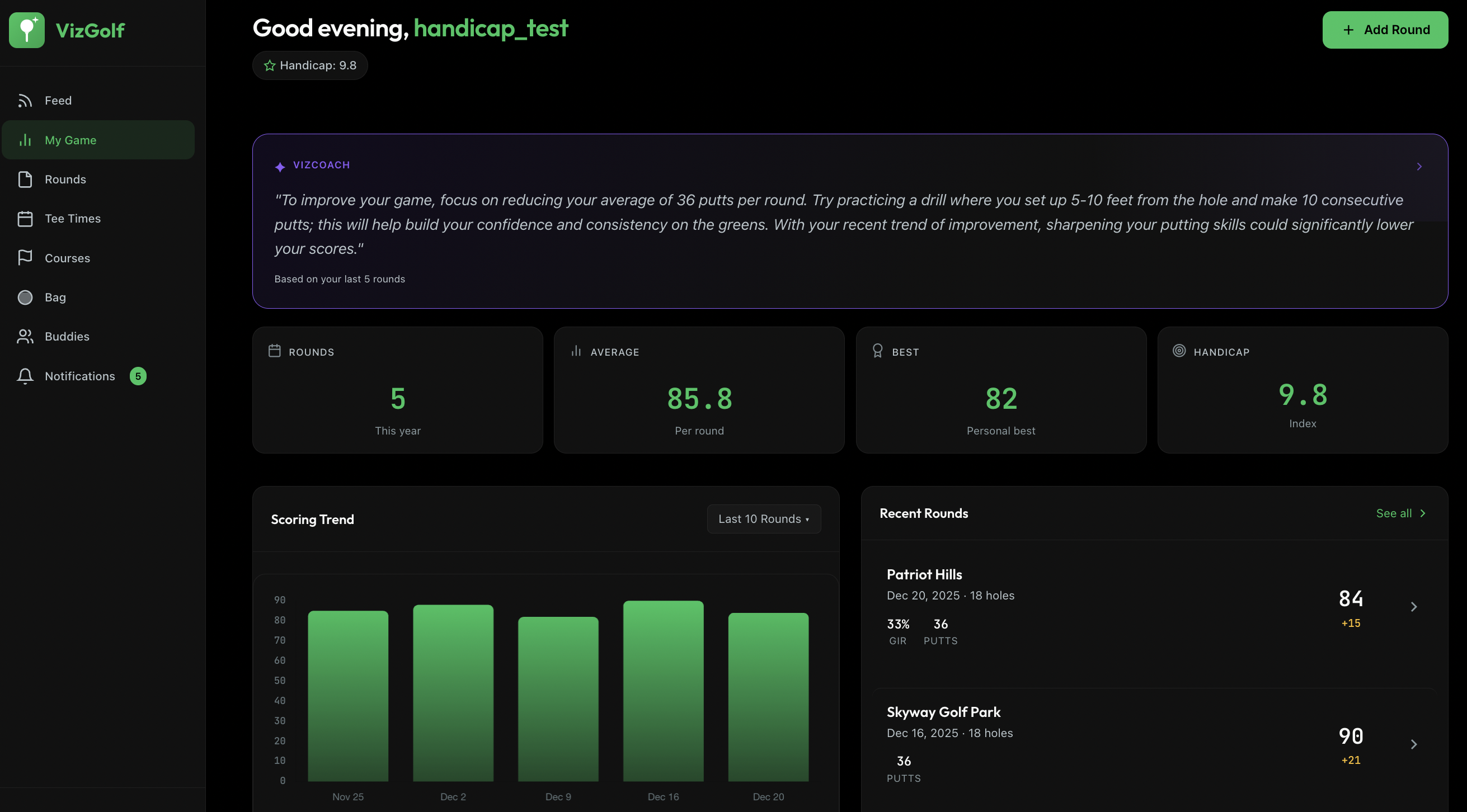
See What's Working
As you log rounds, patterns emerge. You'll see exactly where you're losing strokes - tee shots, approaches, or short game. No more guessing what to practice.
Stats start appearing after your first round. The more you log, the clearer the picture.
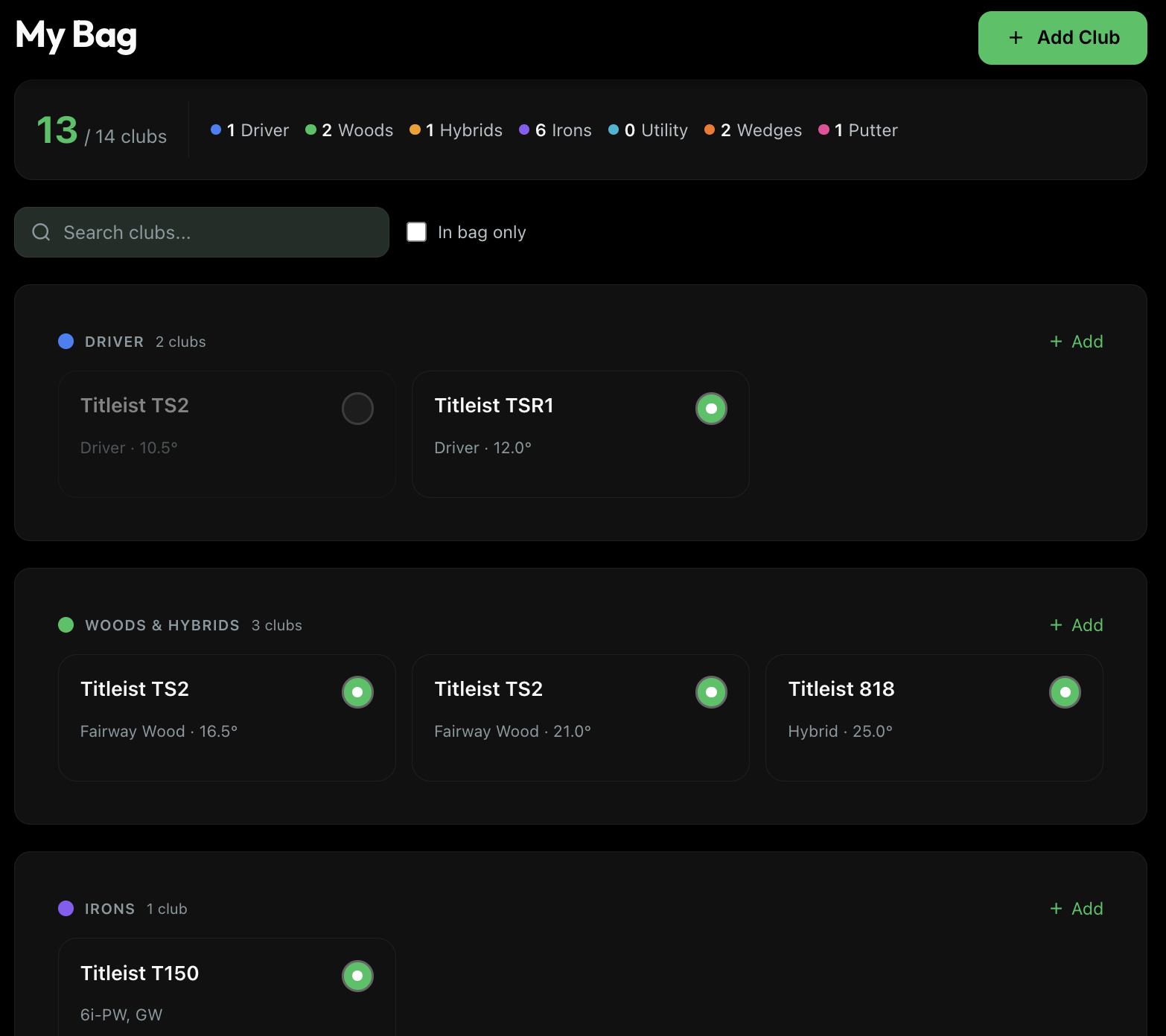
Track Your Equipment
Add your clubs to your bag once. As you log rounds, VizGolf tracks which clubs you hit best - and which might be holding you back. Finally know if that new driver was worth it.
Optional but powerful. Skip it now, add later anytime.
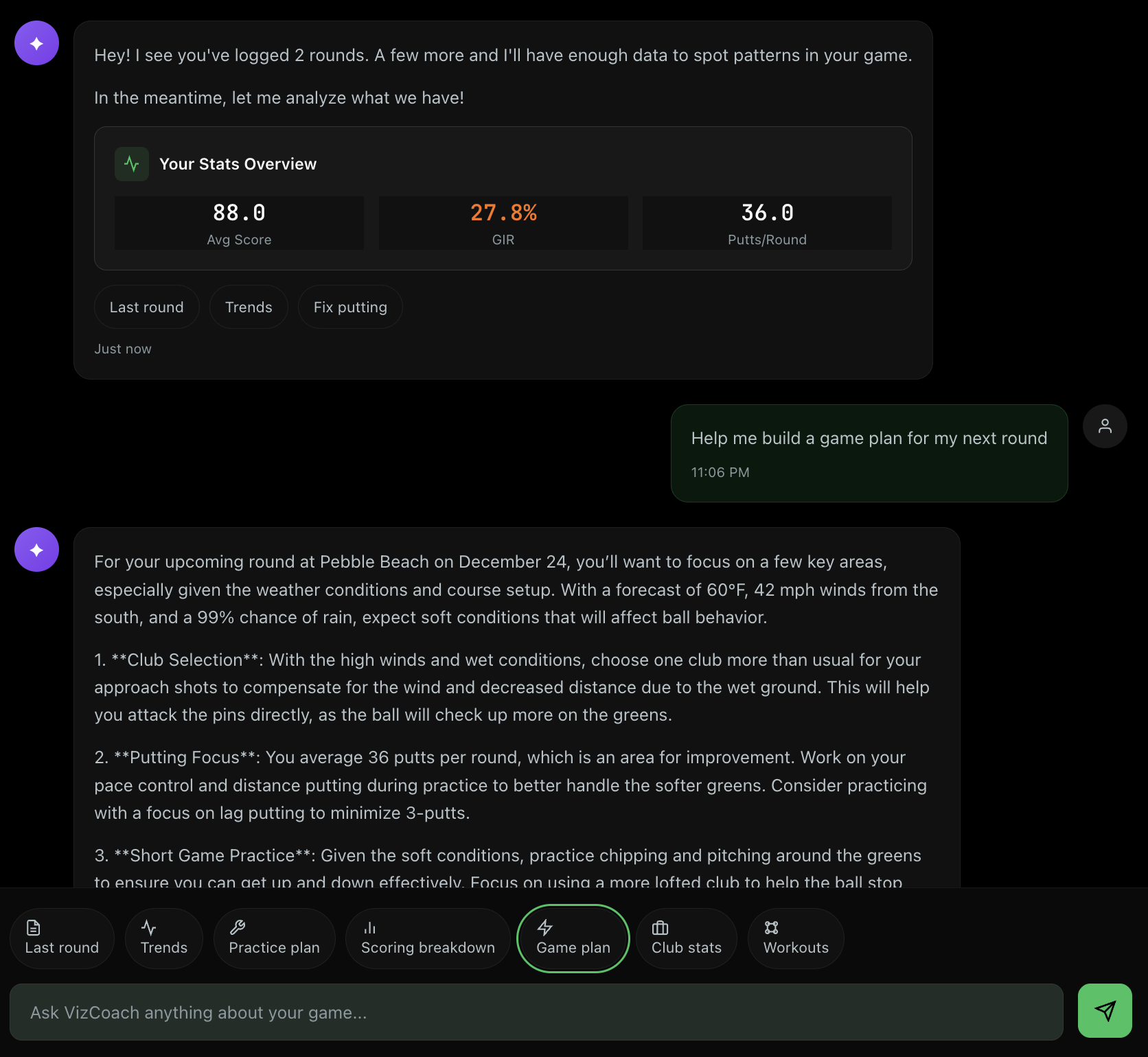
Get Personalized Tips
VizCoach looks at your stats and gives you one thing to focus on. Not generic tips - specific advice based on YOUR rounds and YOUR goals.
Tips appear on your dashboard after you've logged a few rounds.
The payoff
After 10 rounds, VizGolf showed me my 7-iron was my most reliable club and my driver was costing me 3 strokes per round.
Free to use. No credit card required.